How to log a service so it counts as proof
Updated
Writing down that you changed the oil takes ten seconds and is worth almost nothing. What a buyer, an insurer or a workshop will accept is something else: a dated document, a reading, an image of the part before it disappeared under a cover. The difference is not effort, it is order.
Start with the invoice, not with the description
The invoice already contains almost everything: the date, the mileage, what was replaced, what it cost. Photograph it first and the fields below fill themselves in, and the document stays attached to the entry as proof.
This is the single habit that separates a history worth money from a list of good intentions. A described job is a claim. A described job with its invoice is a fact.
A PDF works as well as a photo. If the workshop emailed it, save the attachment and attach the file: it will not be read automatically yet, but it counts exactly the same as evidence.
Two sheets? Workshop invoices often run to two pages, the labour on the first and the parts with the total on the second. Read the first, then tap Add a page: the second one is attached too, and it fills in only what the first one left empty.
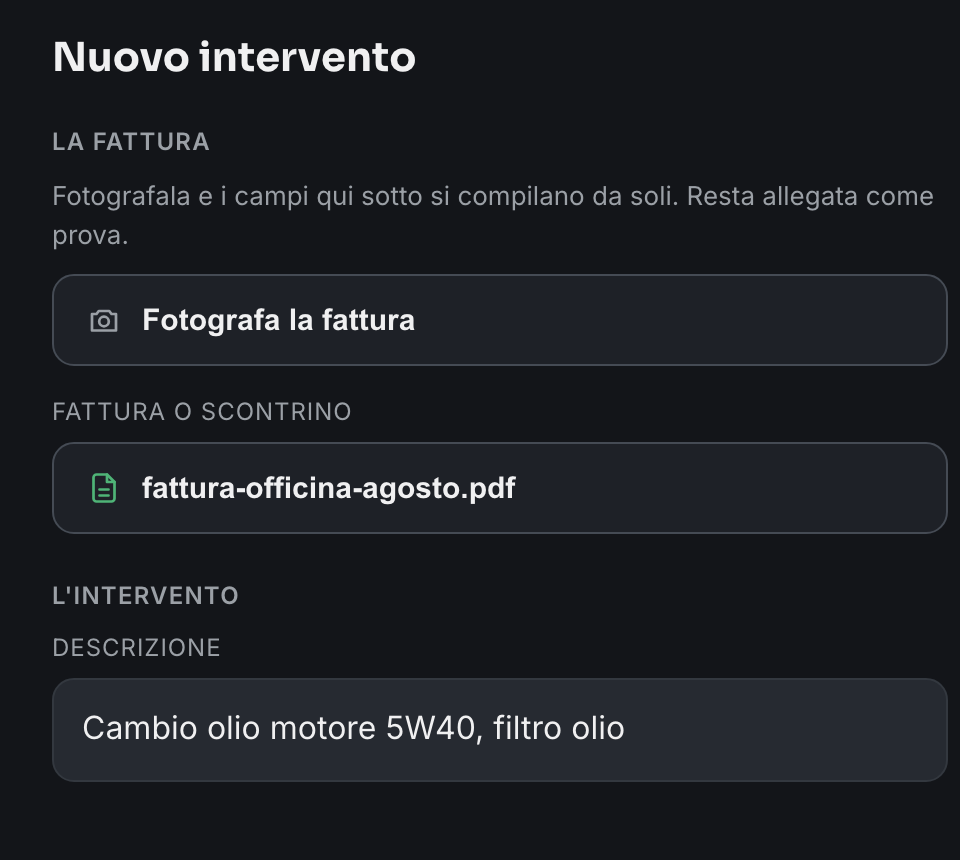
Photograph what will become invisible
The photographs that matter are the ones nobody will be able to take again. A timing belt, a water pump, a rusted sill treated before painting: once it is closed up, no inspection in the world can see it. That is where a photograph is worth more than a sentence.
You can add up to ten photographs per job, and you can pick several at once from the gallery instead of one at a time. Two useful ones beat ten identical ones: the part before, the part after, and the odometer if the invoice does not show it.
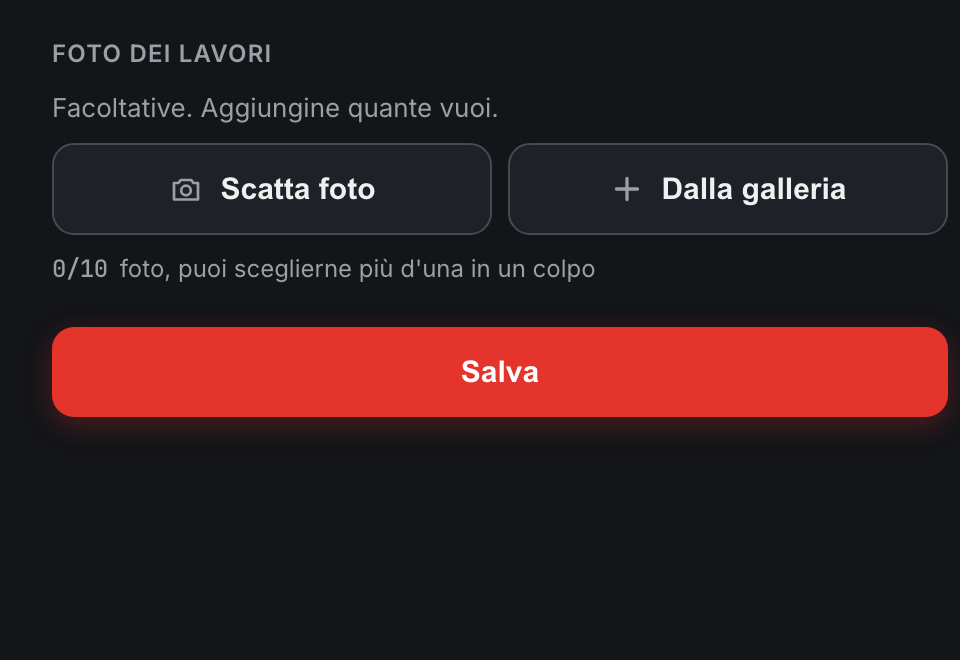
Check before you save
Before the entry is written, the app shows you exactly what is about to be recorded and asks for confirmation. It is not politeness: a saved entry cannot be rewritten, so the last useful moment to catch a wrong date or a missing zero is before, not after.
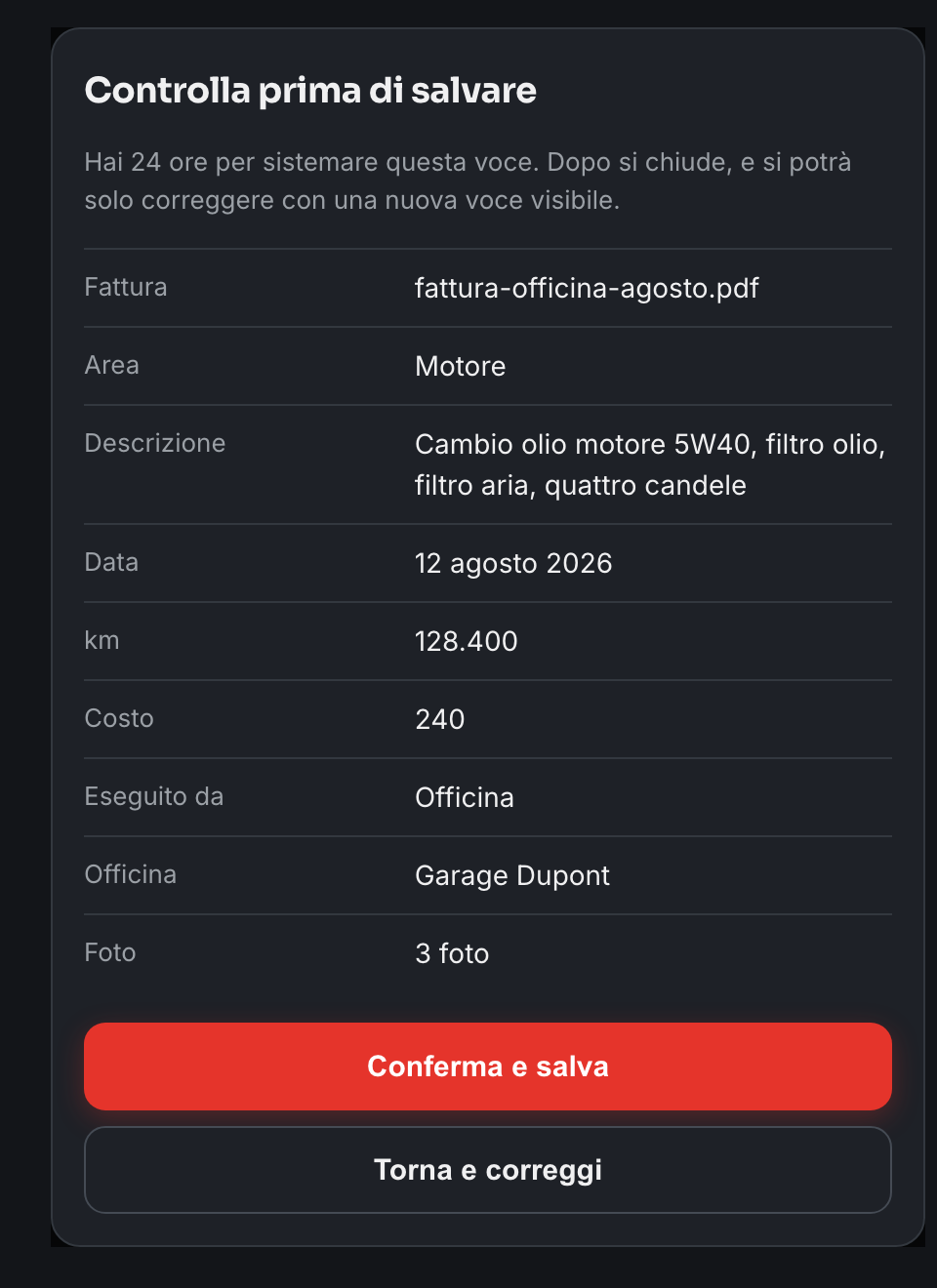
Twenty-four hours to fix a mistake, then it is sealed
For a day after you record it, an entry is still open: you can edit it, delete it, or remove a file attached by mistake. It is the time it takes to notice a typo, or that the photo shows the wrong document.
After that the entry is sealed. It cannot be edited or deleted, and a correction is recorded as a new entry that says so, sitting next to the one it replaces with a Modified badge. The previous version stays available underneath, struck through.
That rule is what makes the whole thing worth something. If an entry from three months ago could be quietly rewritten today, no buyer would have any reason to believe any of it.
What a good history looks like afterwards
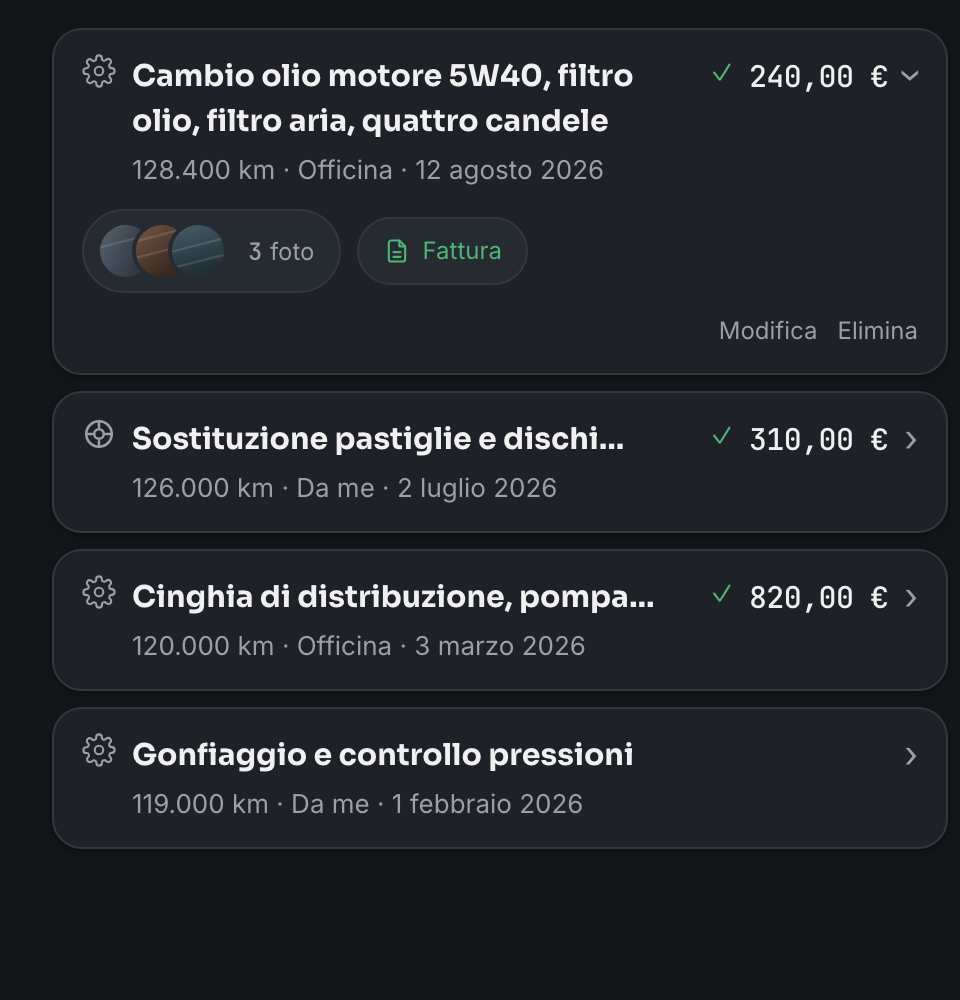
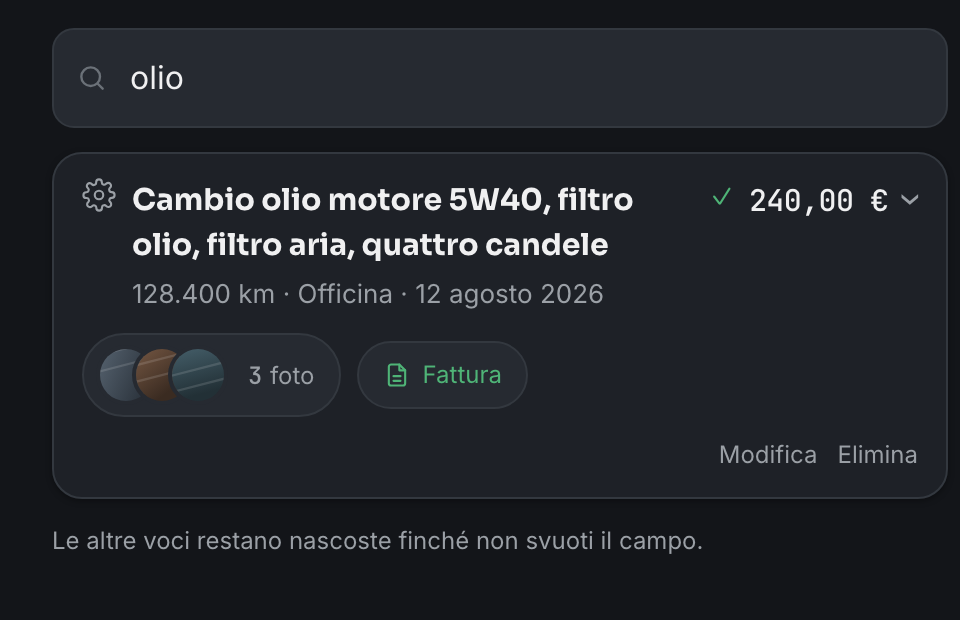
Each entry shows one line: what was done, the mileage, who did it, when. A green check means the proof is attached. Open one and you find the photographs and the invoice, without the page turning into an album.
The entries without a check are not useless, they are simply worth less: they are declared, not documented. Seeing the difference at a glance is exactly what a buyer does before making an offer.
Finding one job two years later
Nobody scrolls. When the question is «has the timing belt been done?», you type belt and the answer appears. The search works on words, in any order, and ignores accents, because a phone keyboard makes accents expensive.
The same search is available to anyone you share the history with. It is the difference between handing someone a folder and handing them an answer.
Garage Saga is built around this order: the invoice first, the proof attached, and entries that cannot be quietly rewritten. It is free, and when you sell, the whole history passes to the new owner.
Create your free garage